
DevConvert per mac
 Tommaso Tamantini
DevConvert: The Mac app that converts YAML, Kubernetes, and configuration files in one click
Anyone who works with microservices, containers, or deployment pipelines is familiar with this ritual: taking a YAML file and manually transforming it into an .env file, or transforming a Kubernetes ConfigMap into environment variables for the terminal. It's mechanical, repetitive, and easy to mess up when done by eye or with a random text editor. DevConvert was created to eliminate that step: a lightweight, no-frills native Mac app that converts between the most common development configuration formats—YAML, Kubernetes ConfigMap, .properties , terminal-style environment variables, and "simple" KEY=value —in real time, as you type or paste text.
How it works
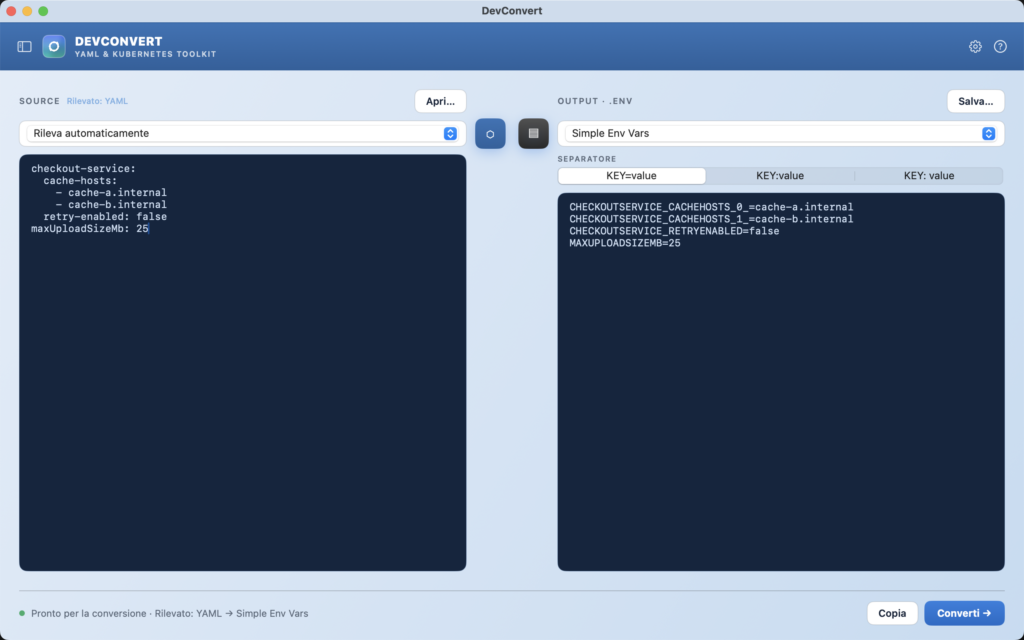
The interface is divided into two columns: Source on the left, Output on the right. Paste or open a file in the left column, choose the output format on the right, and the conversion happens automatically—you don't even need to press a button, although the "Convert →" button is still there for those who prefer an explicit step. The input format can also be automatically detected: DevConvert recognizes whether the pasted text is YAML, a ConfigMap, a .properties file, or something else, and reports it directly next to the SOURCE label ("Detected: YAML"), without the user having to specify it manually.
A searchable timeline
Every conversion—automatic or manual, from a file or pasted text—is recorded in a drop-down sidebar. It's not just a list: each entry is clickable and restores the exact input, source, and target formats of that conversion, including the filename if it was loaded from disk.
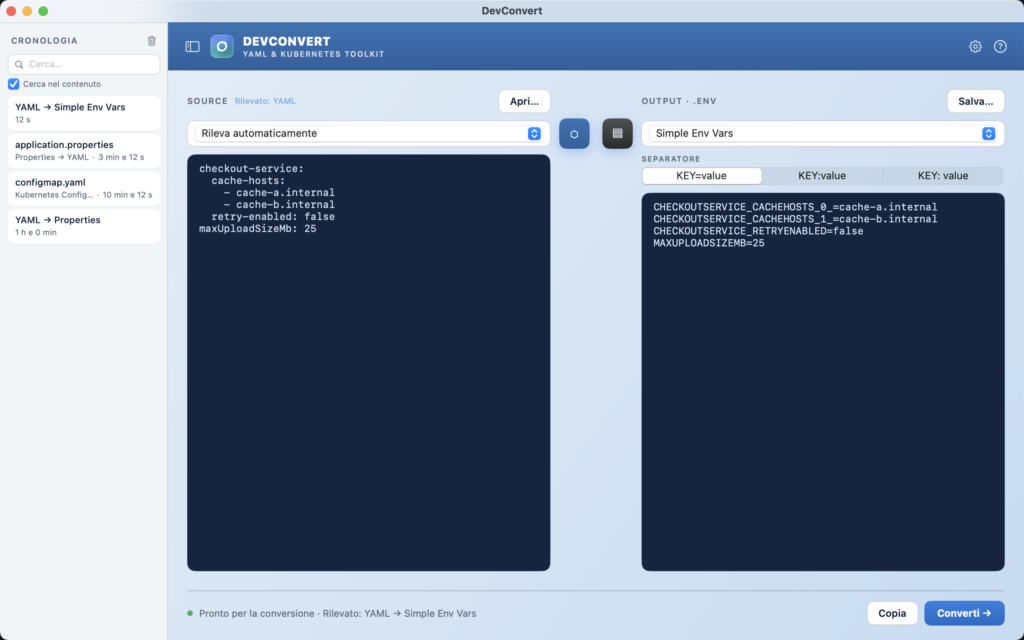
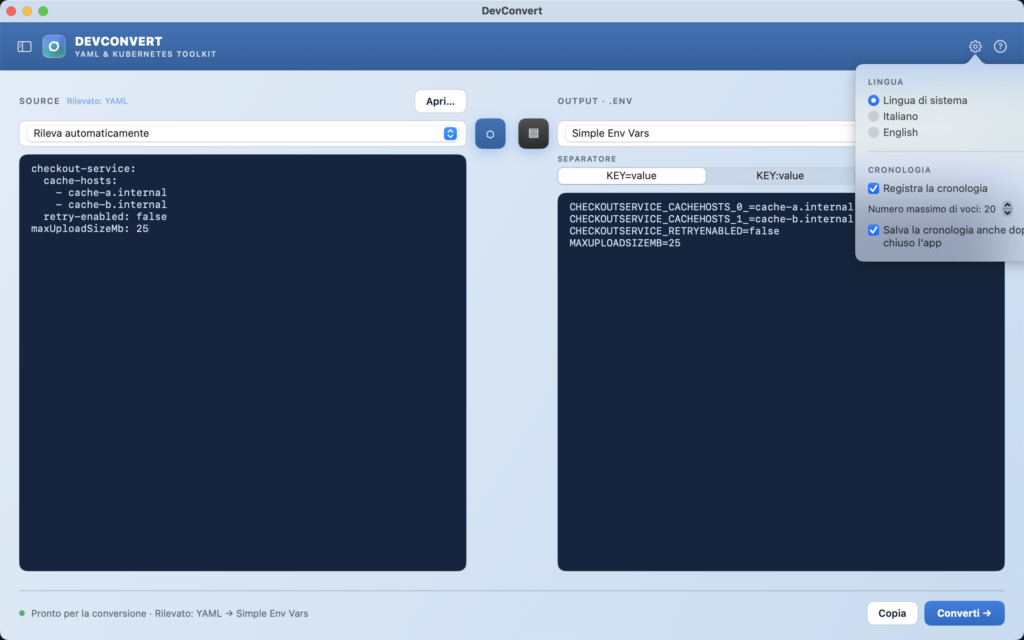
As your history can grow over time, it's helpful to be able to search it : a search field at the top of the sidebar filters entries by file name, format, or text content. Those who prefer to search only by file name (for example, to quickly find "application.properties" without cluttering results with other content) can disable content-based search with a simple toggle. All of this is configurable: you can disable history recording, decide whether it should survive app closure or be lost upon restart, and set how many entries to keep (up to a maximum of 500) via the Options menu, accessible with a click from the gear icon.
Multilingual, as it should be
By default, DevConvert follows the Mac's system language (Italian or English), but it also allows you to manually force one of the two languages from the Options menu itself — useful for those who usually work in English even on a Mac configured in Italian, or vice versa.
Who is it intended for?
DevConvert isn't intended to be an "enterprise" tool with a hundred features: it's designed for those who, in their daily work as developers, DevOps, or SREs, often find themselves translating configurations from one format to another and want to do so without opening a browser, without pasting sensitive data into an online service, and without wasting time. Everything happens locally on your Mac.